Appearance
Navigation
The left sidebar is the menu.
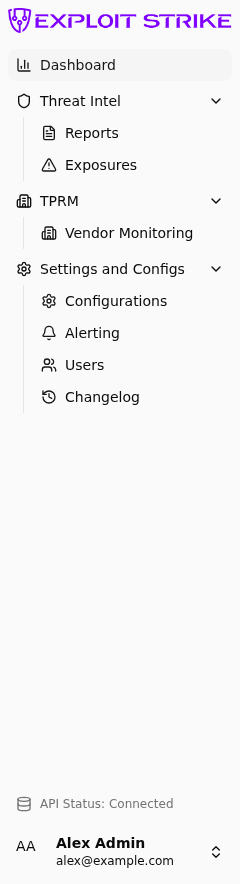
Sidebar groups: Dashboard, Threat Intel, TPRM (third-party risk / Vendor Monitoring), Settings and Configs. The footer shows API Status.
| Menu | What you see |
|---|---|
| Dashboard | Counts, recent exposures, connection status |
| Reports | Attribution reports and ownership |
| Exposures | Leaked credential or sensitive value |
| Vendor Monitoring | Vendor list and scorecards |
| Configurations | Domains, integrations, vendors |
| Alerting | Destinations and rules |
| Users | People and roles |
| Changelog | Product release notes |
Groups
The sidebar groups items as:
- Dashboard
- Threat Intel — Reports, Exposures
- TPRM — Vendor Monitoring
- Settings and Configs — Configurations, Alerting, Users, Changelog
Header and footer
The header shows the page title on the left.
The header has two buttons on the right.
| Button | What it does |
|---|---|
| Docs | Opens this user guide. It opens the page for the screen you are on. |
| Support | Starts an email to the support team. |
Both buttons open a new browser tab. On a small screen, the buttons are hidden.
The footer shows API Status: Connected, Disconnected, or Checking.