Appearance
Objects and terms
Exposure
An exposure is a leaked credential or sensitive value: password, secret, token, PII, PHI, credit card number, or similar.
Path: /exposures.
Typical fields:
- Secret type
- File and line
- Repository
- Severity 0–10
- Alerted
- False positive
- Remediated
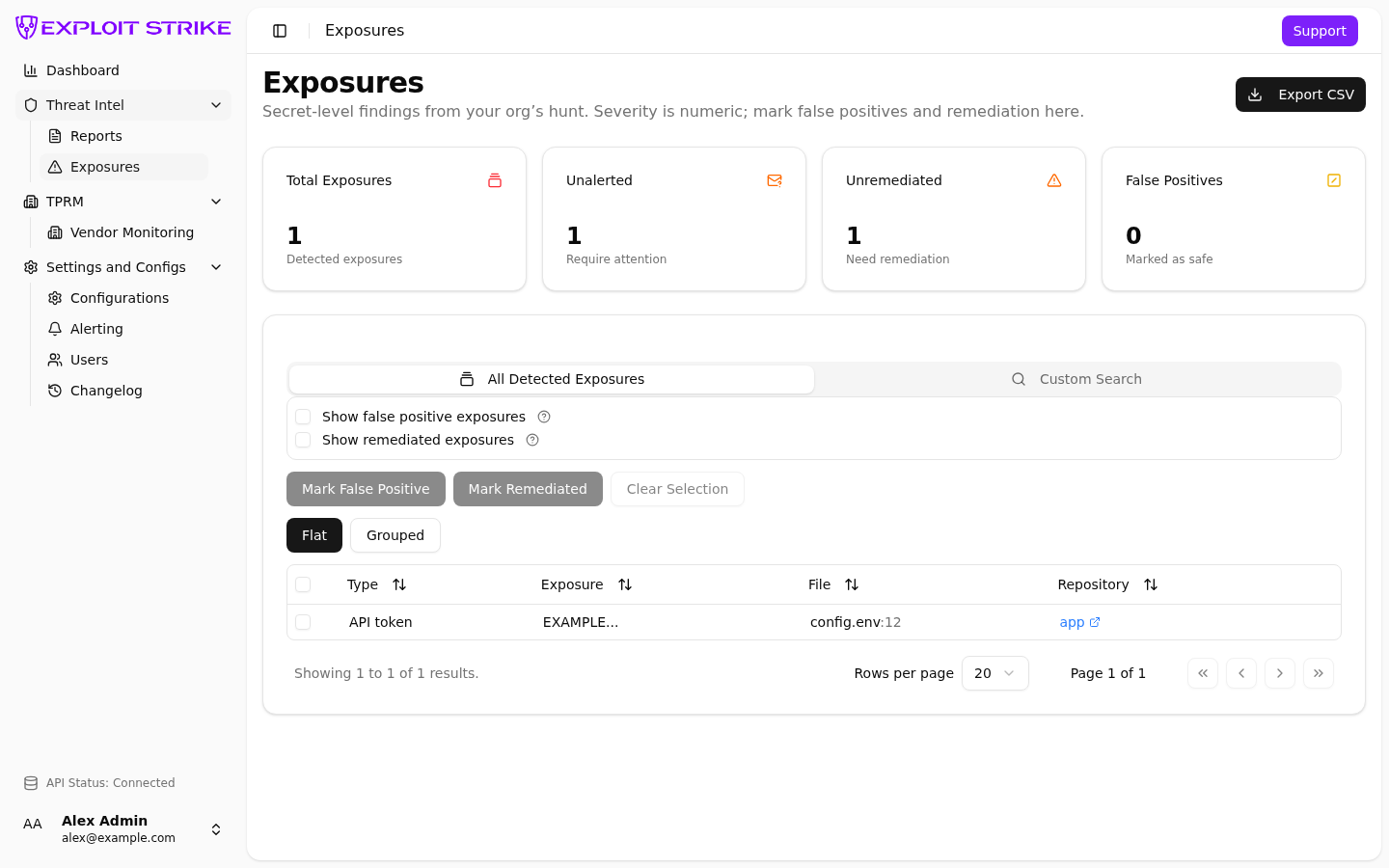
Exposures list. Use search and status actions here. Export CSV downloads the current filter set.
Report
A report is the attribution record for an exposure event.
Path: /reports.
A report appears when there is a suspected potential impact to your organization through a first-party or third-party leak.
It includes ownership. Exposures are the secret list.
A report can show:
- Title
- Ownership
- Source
- Leaker domain
- Org confidence
- Severity
- Age
- Repository link, commit, branch, and commit date (when present)
- Summary
- Why-this-org signals
- Affected entities
- Report body
- False positive
- Remediated
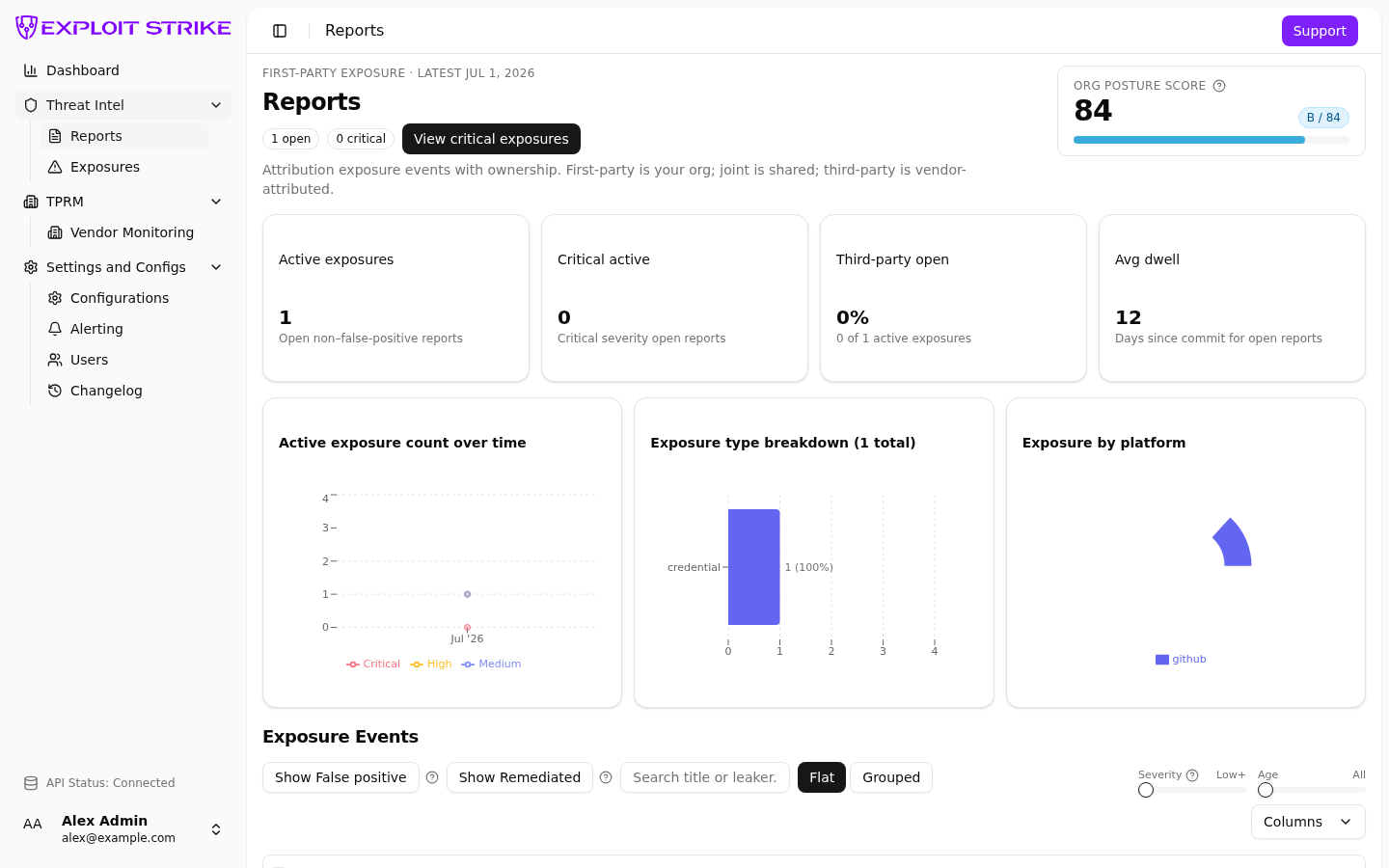
Reports list. Filter by ownership, severity, age, and source. Open a row for the full report.
Vendor incident
A vendor incident sits on a vendor scorecard.
Vendor Monitoring details supply-chain vendor risk.
Path: /vendors, then View.
It has a short summary, severity, confidence, category, and date.
The vendor grade is computed from active incidents. See Scoring and attribution.
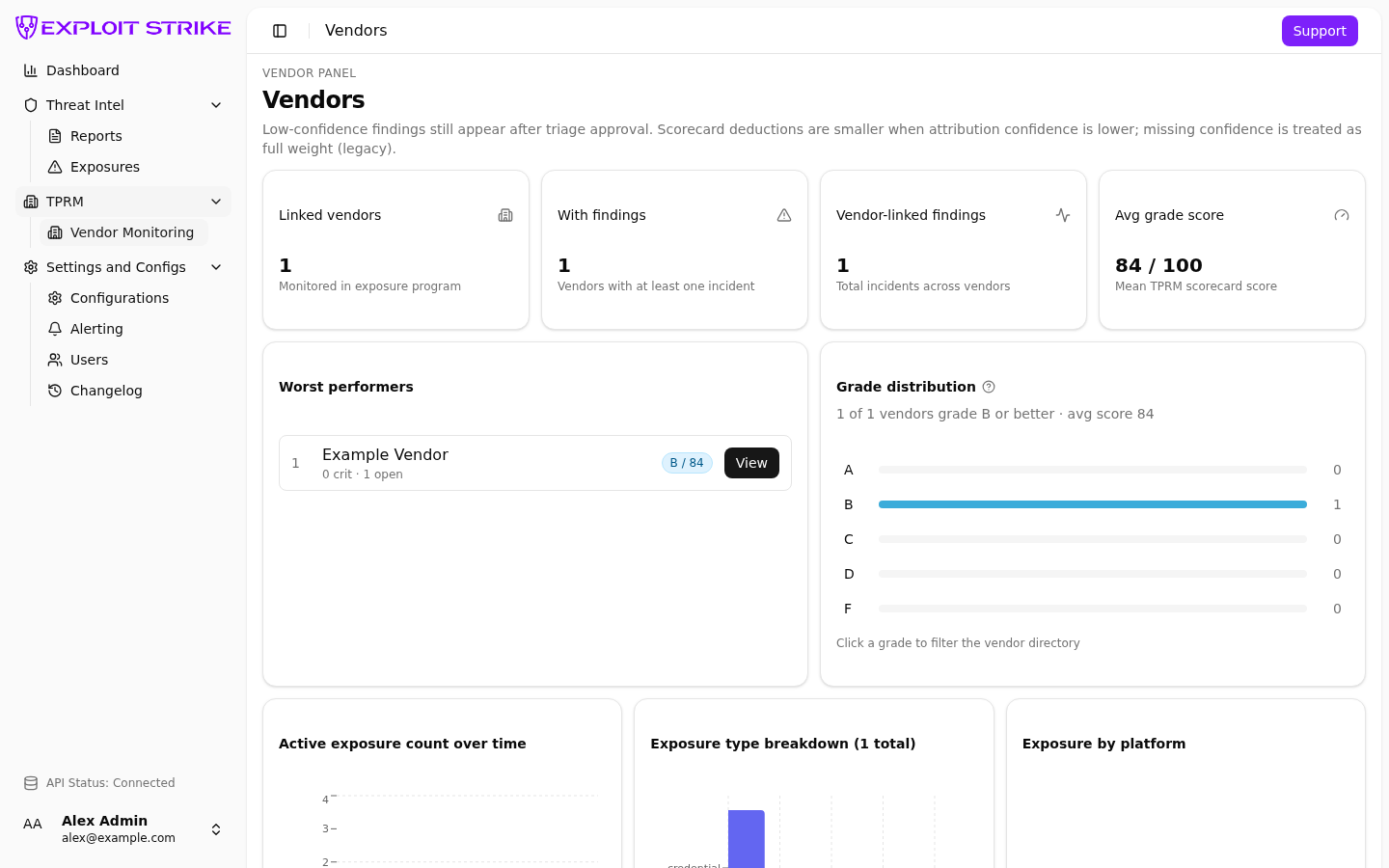
Vendor Monitoring. Grade is A–F from a 0–100 score. Select View for one vendor.
Ownership
Reports use three ownership values:
| Value | Meaning |
|---|---|
| First-party | Leak attributed to your organization |
| Joint | First-party and third-party both apply |
| Third-party | The leak originated with a third party but may affect your organization. |
Severity vs confidence
| Term | Where | Meaning |
|---|---|---|
| Severity (number) | Exposures | 0–10. Higher is more urgent. |
| Severity (label) | Reports, alerts, vendors | Low, Medium, High, Critical (vendors also use numeric bands). |
| Attribution confidence | Reports, vendor incidents, alert rules | How sure the attribution is, 0–100%. |
Low confidence still shows the row.
Lower confidence reduces how much a vendor incident weighs on the scorecard.
False positive vs remediated
| Mark | Meaning in the UI |
|---|---|
| False positive | The finding is not a valid exposure for your organization. Hidden by default. |
| Remediated | You marked it fixed. Hidden by default. |
Remediated is a status you set.
Configurations
Configurations set monitoring scope for your organization:
- Domains and keywords
- Integrations
- Vendors
Path: /configs.
Pending vs Active
These statuses appear on Configurations rows.
| Status | Meaning |
|---|---|
| Pending | Exploit Strike review. Review confirms the term belongs to this client and is not associated with another organization. |
| Active | Review finished. Monitoring can use the term. |